PoB-Enhanced
Path of Exile 2 · self-hosted

Path of Building 2, in your browser

PoB-Enhanced runs the real Path of Building calculator in a Docker container and adds a web UI, build advisors, a check before you buy tool, a socket optimiser and an MCP server for AI agents. Every number is measured in your build.

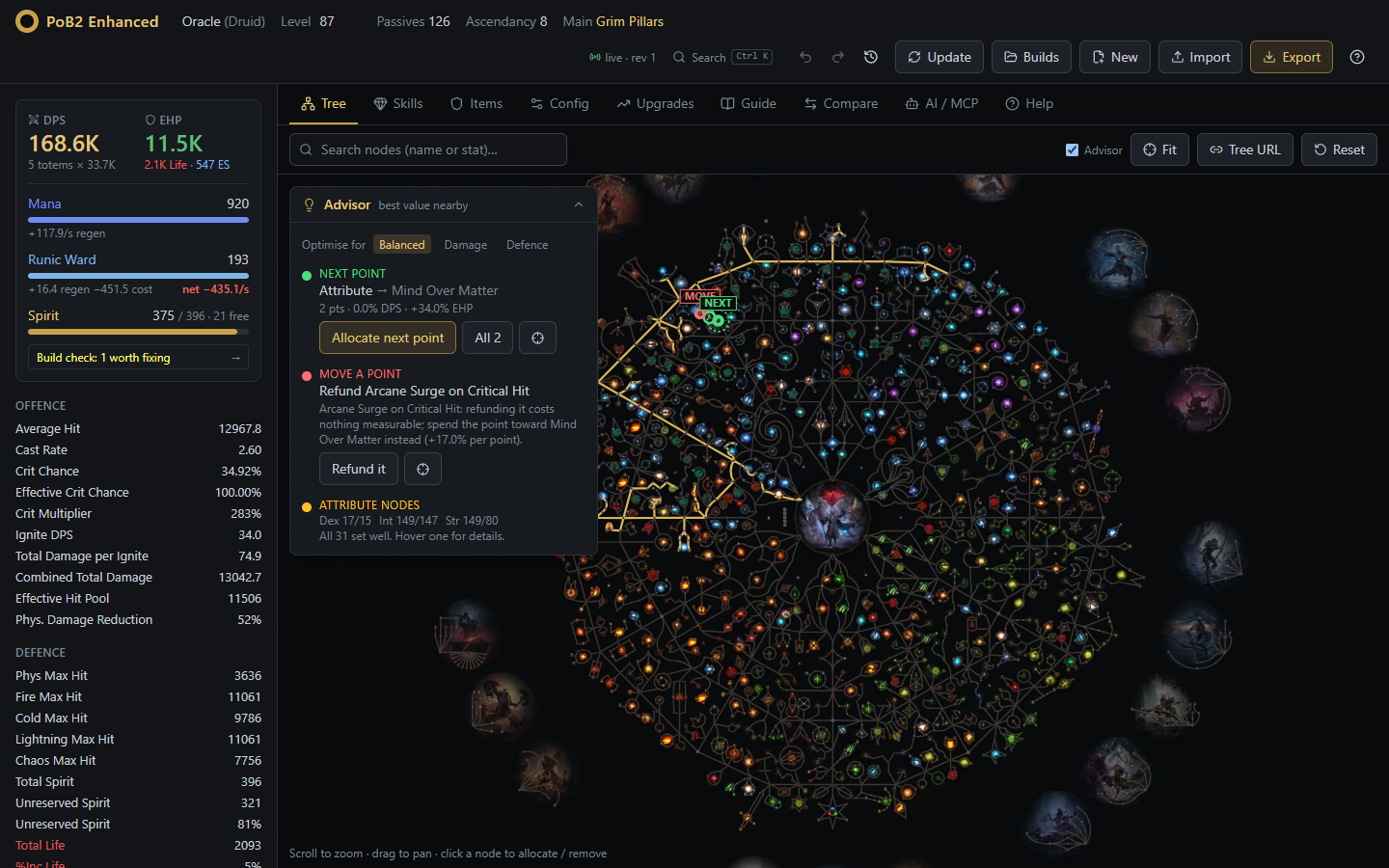
PoB-Enhanced: passive tree with the advisor and the build summary
What you get

Everything PoB calculates, with advice on top

The calculation engine is Path of Building Community's own, unmodified. PoB-Enhanced runs it headless and builds the tools you reach for between maps.

⌁ Passive advisor

The best next point with its path, the cheapest point to move, and which +5 attribute nodes to switch.

✓ Check before you buy

Paste any item for an upgrade / sidegrade / downgrade verdict across every skill, with totem, Spirit and requirement warnings.

◎ Socket optimiser

What every rune, soul core and idol is worth, the best legal swaps, and a combined plan that respects every limit.

⬡ Gear, gems and shop

Mod worth with dead mods flagged, the best rare designed from the real mod pool, unique jewels per socket, and uniques ranked with poe.ninja prices.

≡ Build guides

Upload a Maxroll or in-game planner .build file and see the gap: passives, skills, gear, and next steps by gain per point.

✚ Build check

What is wrong with the build, worst first, each with a fix: resistances, unspent points, supports, requirements, Spirit, empty slots.

⇄ Compare any build

A ladder character or a guide next to yours: stats, items, skills, notables and config, with one-click copy.

↶ Undo and saved builds

Undo any change, even an AI agent's. Your build survives restarts, and named copies stay in your library.

✦ AI agents (MCP)

About 50 tools let Claude or any MCP client load, what-if and edit your build. The UI updates live as the agent works.
Tour

A quick look around

Screens from a real level 87 Oracle totem build.

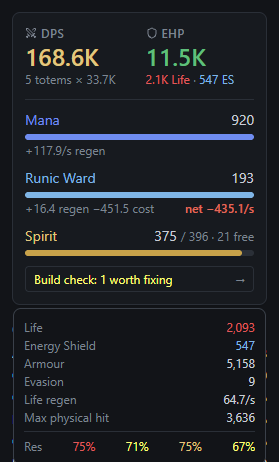
Your build at a glance

  • DPS and EHP up front. Totem skills count every totem your Spirit can keep up.
  • Only the resources you use: Mana, Spirit, Rage or Runic Ward, with net regen against skill cost.
  • Green and red chips show what your last change did. Hover for defences, resists and reservations.
Build summary card

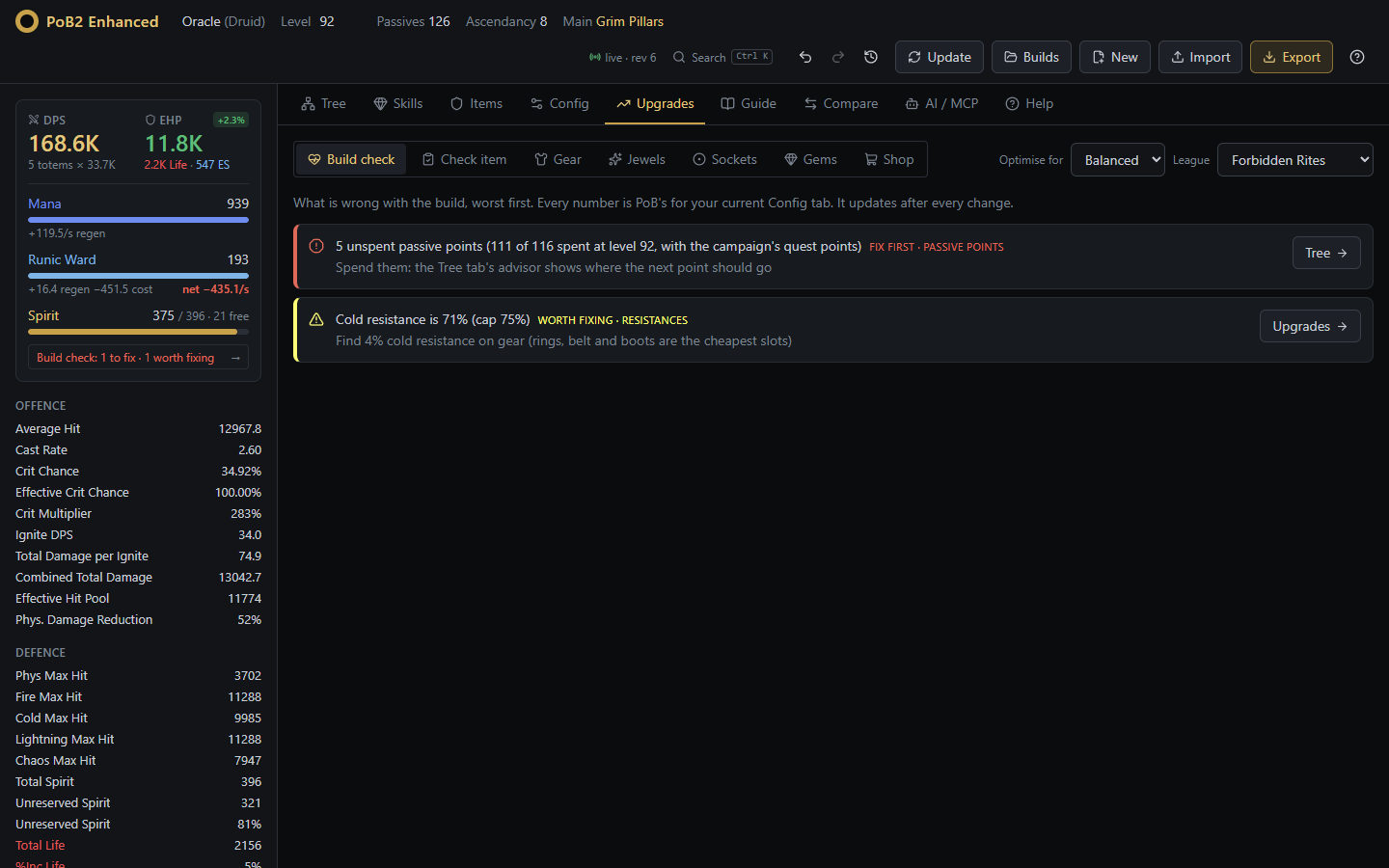
Build check

  • What is wrong with the build, worst first, each with a fix and a button to the tab that has it.
  • Resistances, unspent points, supports, attribute requirements, Spirit, empty slots and mana sustain.
  • A one-line result on the summary card, updated after every change.
Build check

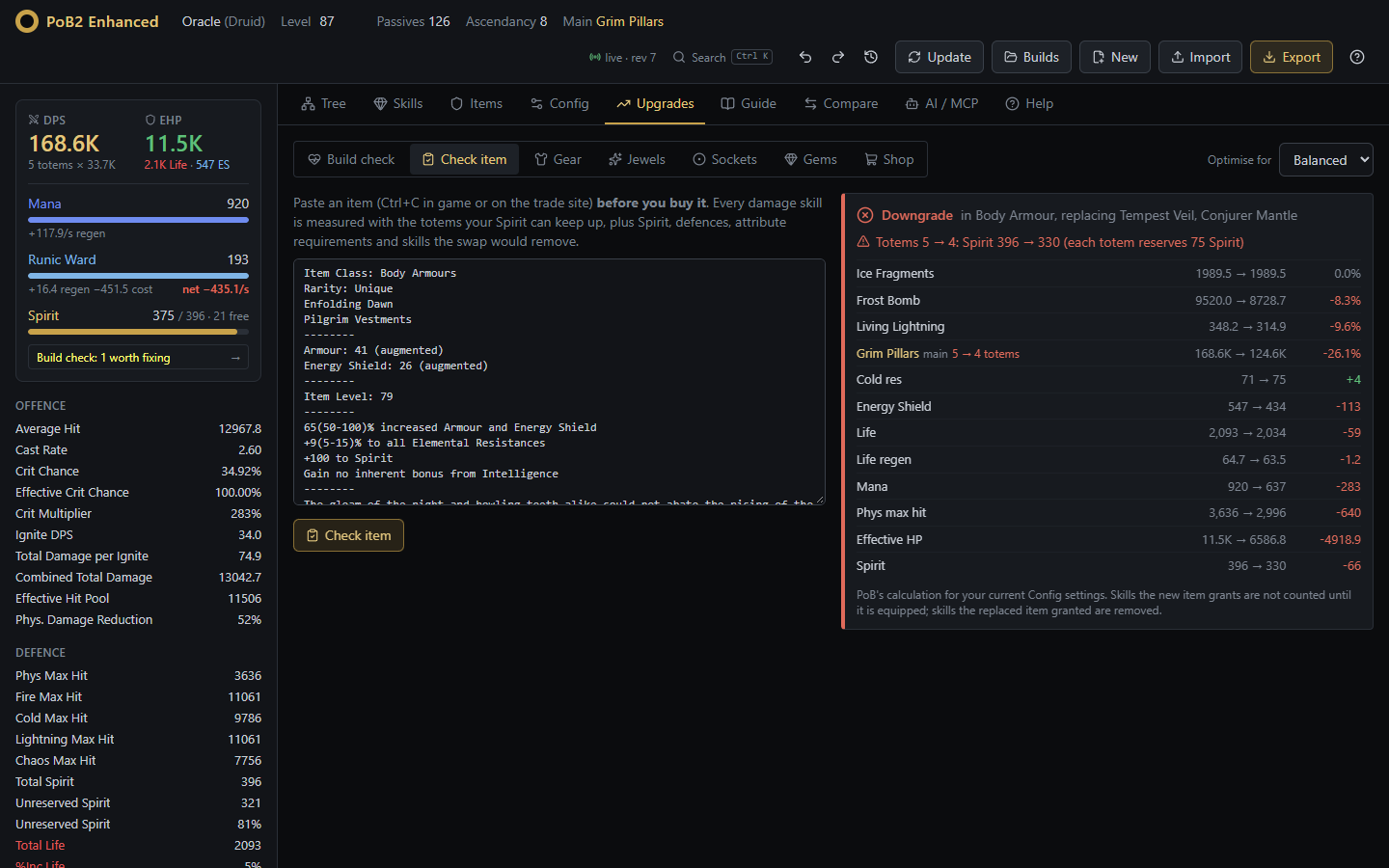
Check before you buy

  • Ctrl+C an item in game or on trade, paste it, get a verdict.
  • Each damage skill measured separately, plus defences.
  • Warnings for lost totems, Spirit shortfalls, attribute requirements and skills the swap removes.
Check item verdict

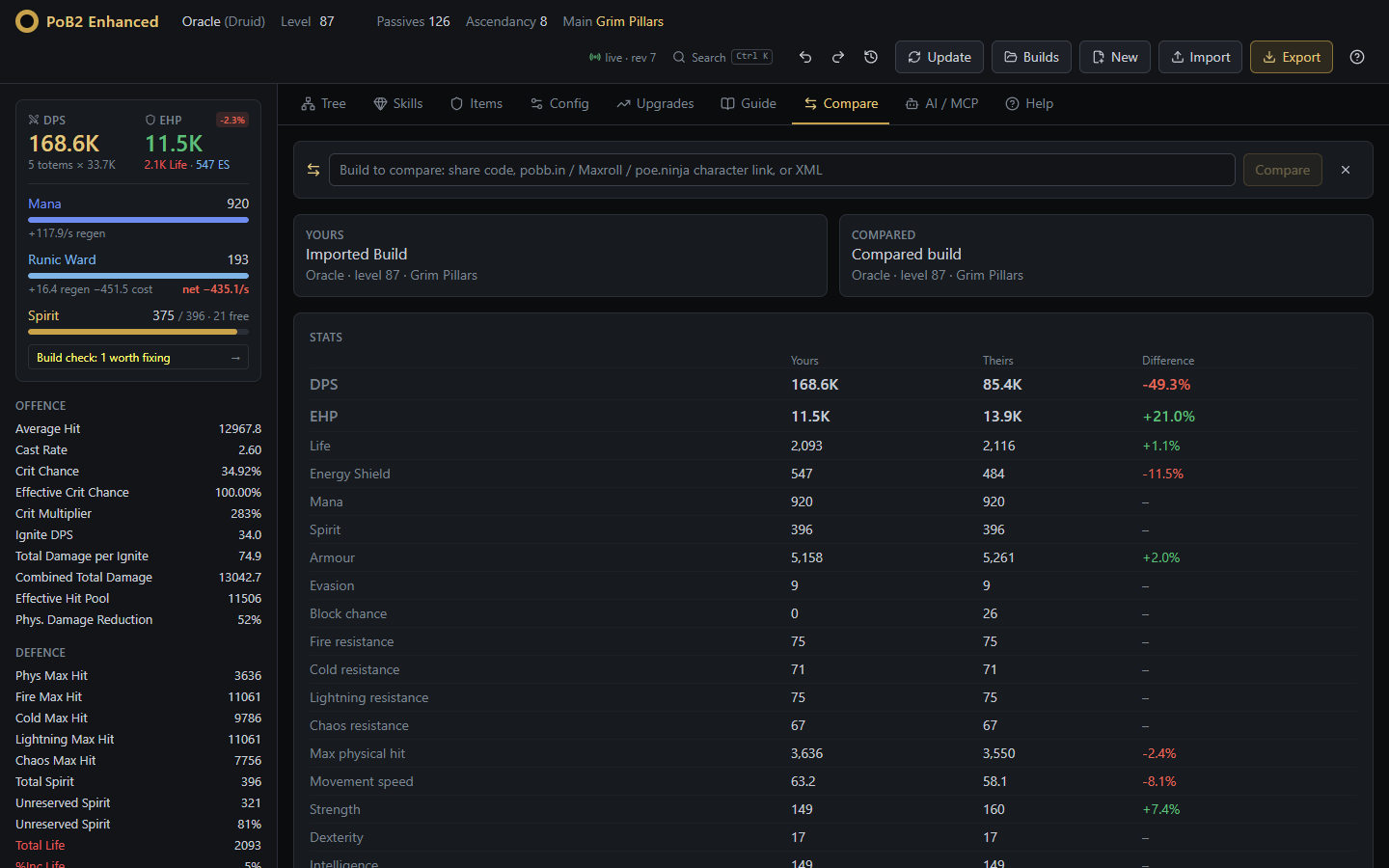
Compare with any build

  • Paste a ladder character, a guide's PoB link or an older version of yours.
  • DPS, EHP and stats side by side, items per slot, skills and supports, notables only one of you takes.
  • Check any of their items in your build, or copy it, their tree or their config across (undoable).
Compare two builds

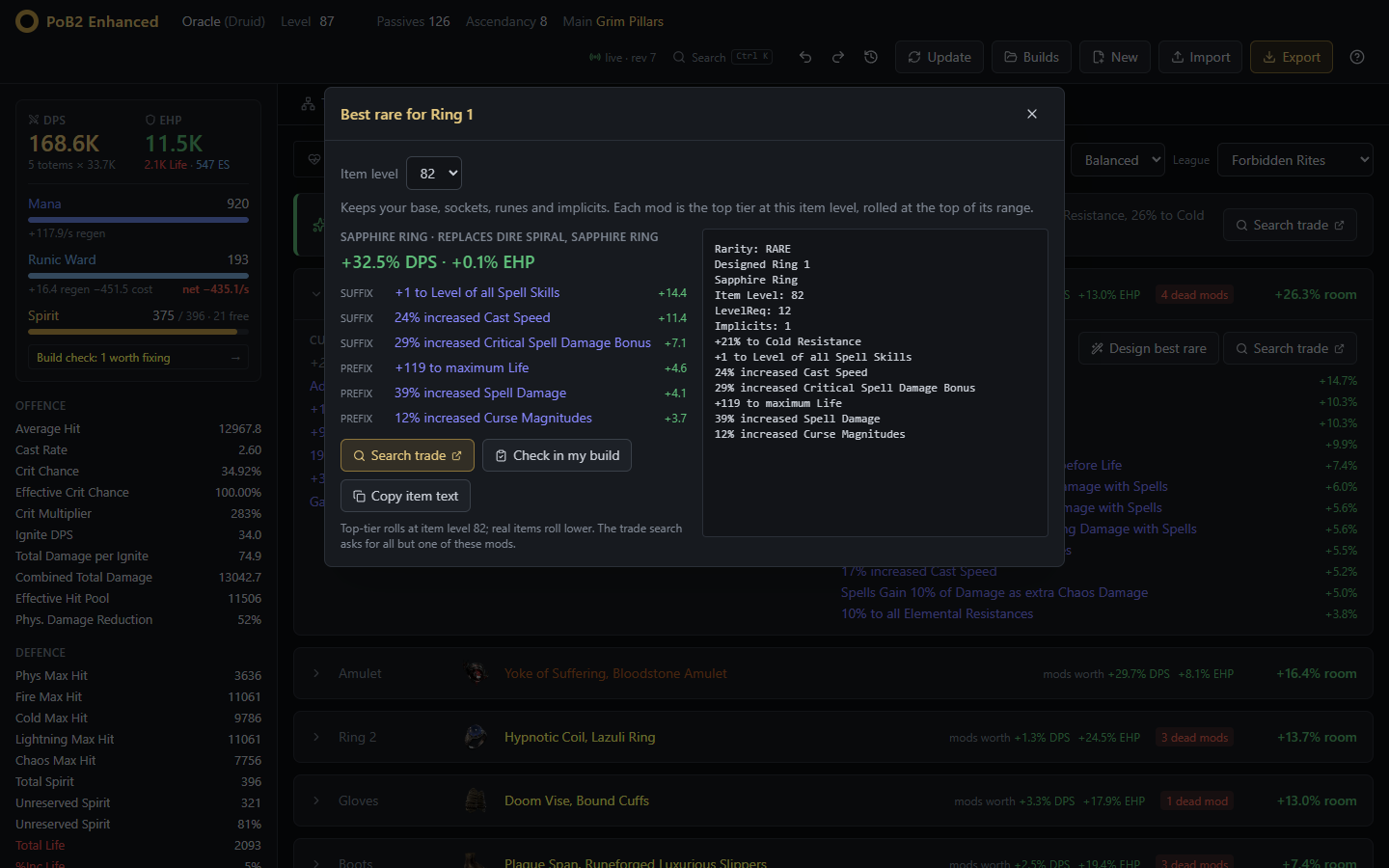
Design the best rare

  • The best mods for a slot from the real mod pool: top tier at your item level, one per family.
  • Keeps your base, sockets, runes and implicits; every mod measured in your build.
  • A trade search for items like it, and a one-click check in your build.
Rare item designer

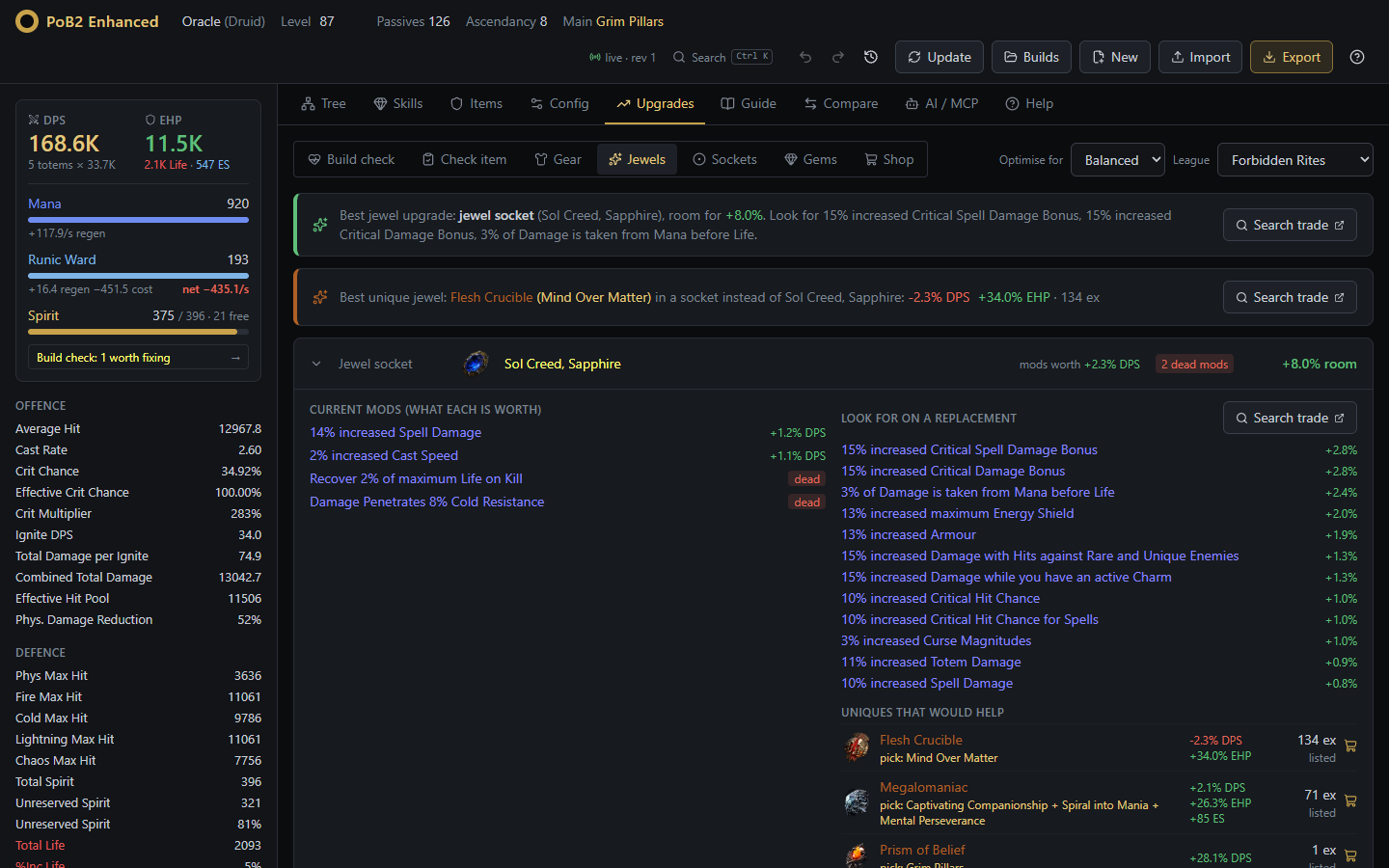
Unique jewels, per socket

  • Every unique jewel and variant tried in each of your sockets.
  • Prism of Belief rolled for your own skills, Megalomaniac's best notables, radius jewels on the nodes around them.
  • With poe.ninja prices, so a 1 ex jewel worth +28% DPS stands out.
Unique jewels per socket

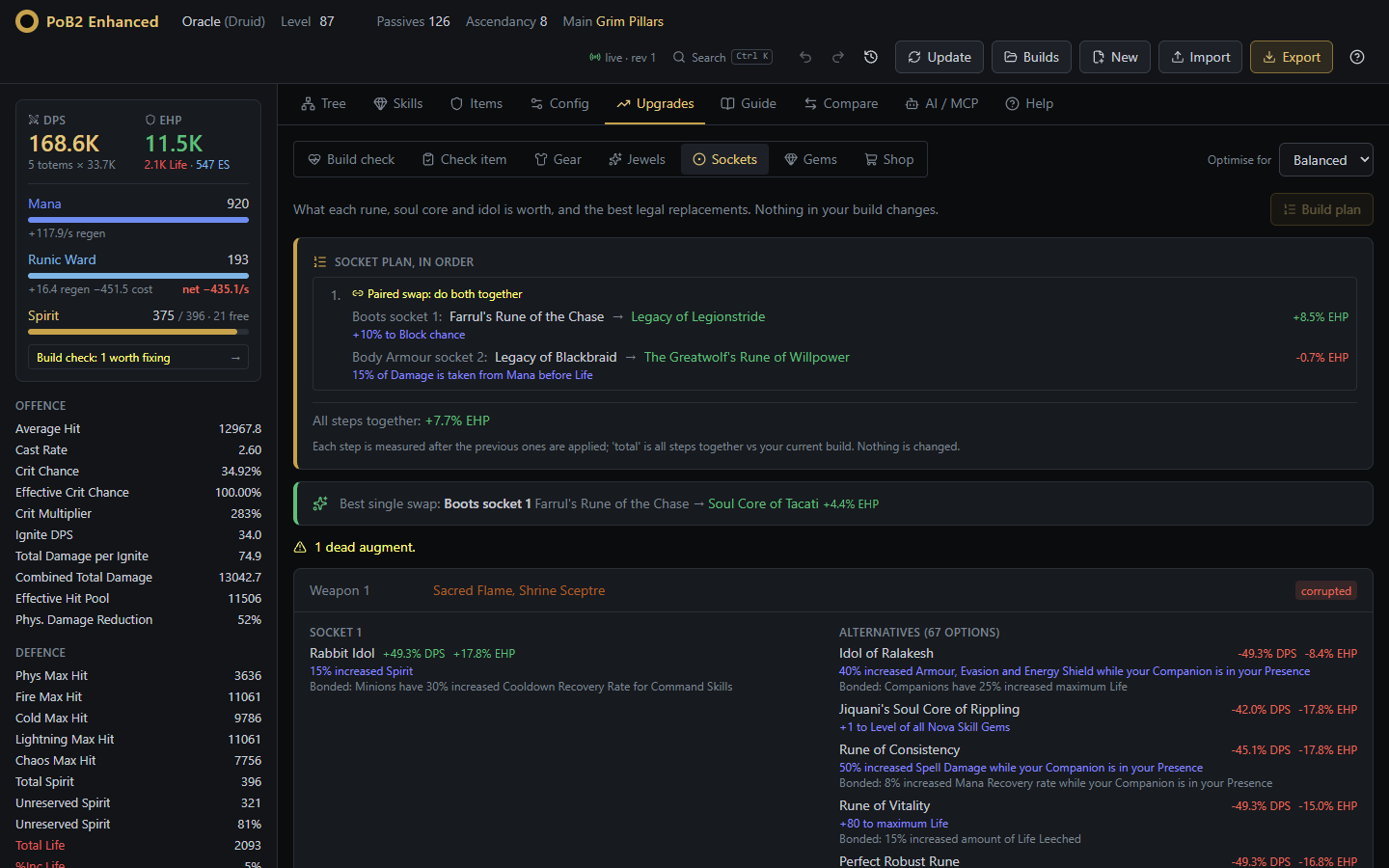
Sockets, optimised

  • Every legal rune, soul core and idol tried in every socket.
  • Corruption, level, per-item and character-wide limits (like Ancient Augment) respected.
  • A plan of swaps measured together, including paired swaps that free a limit.
Socket optimiser

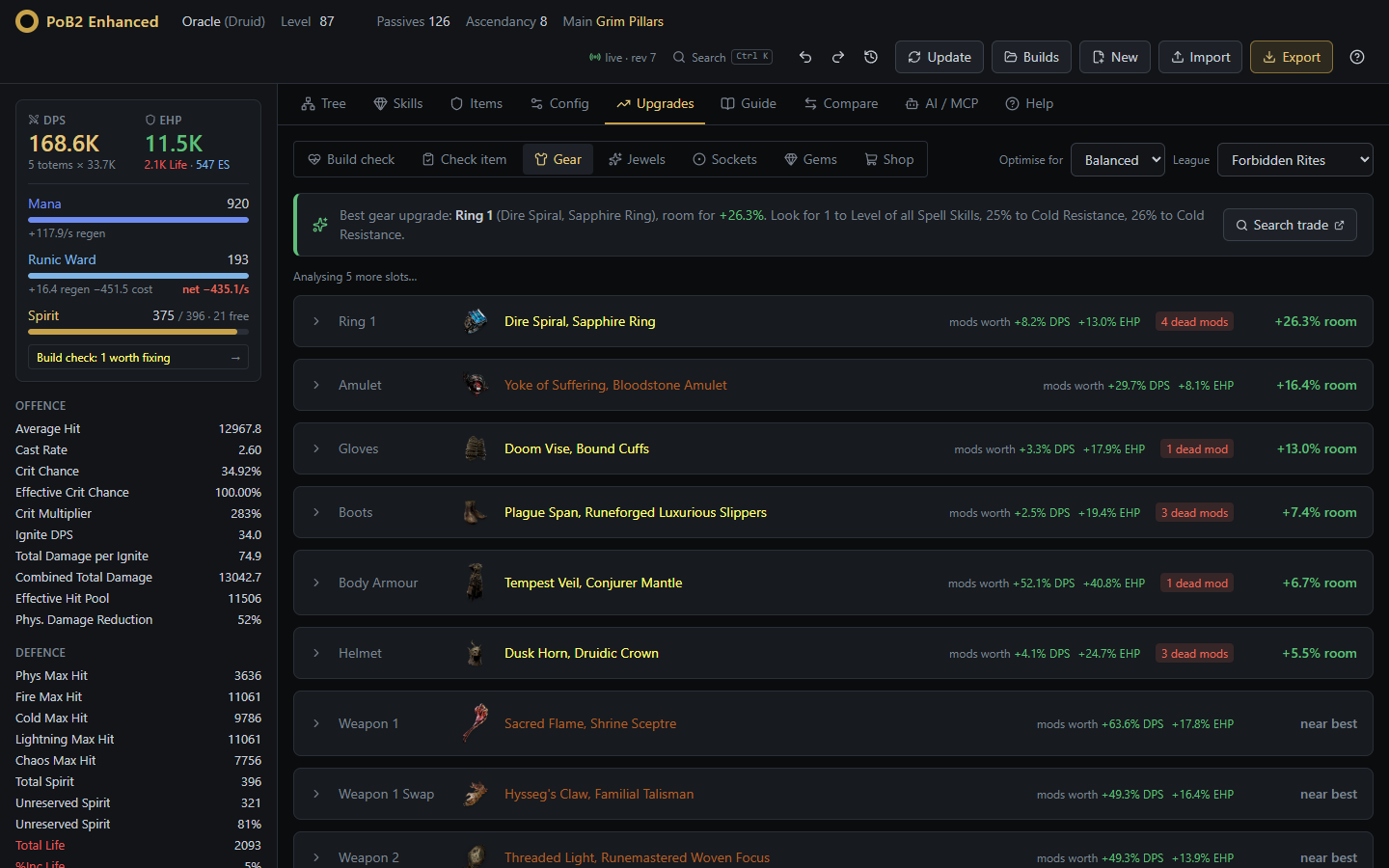
Gear and shop

  • What each item and mod is worth, sorted by room for improvement.
  • A weighted pathofexile.com trade search per slot.
  • Uniques that would help most, with poe.ninja prices and a budget filter.
Gear advice

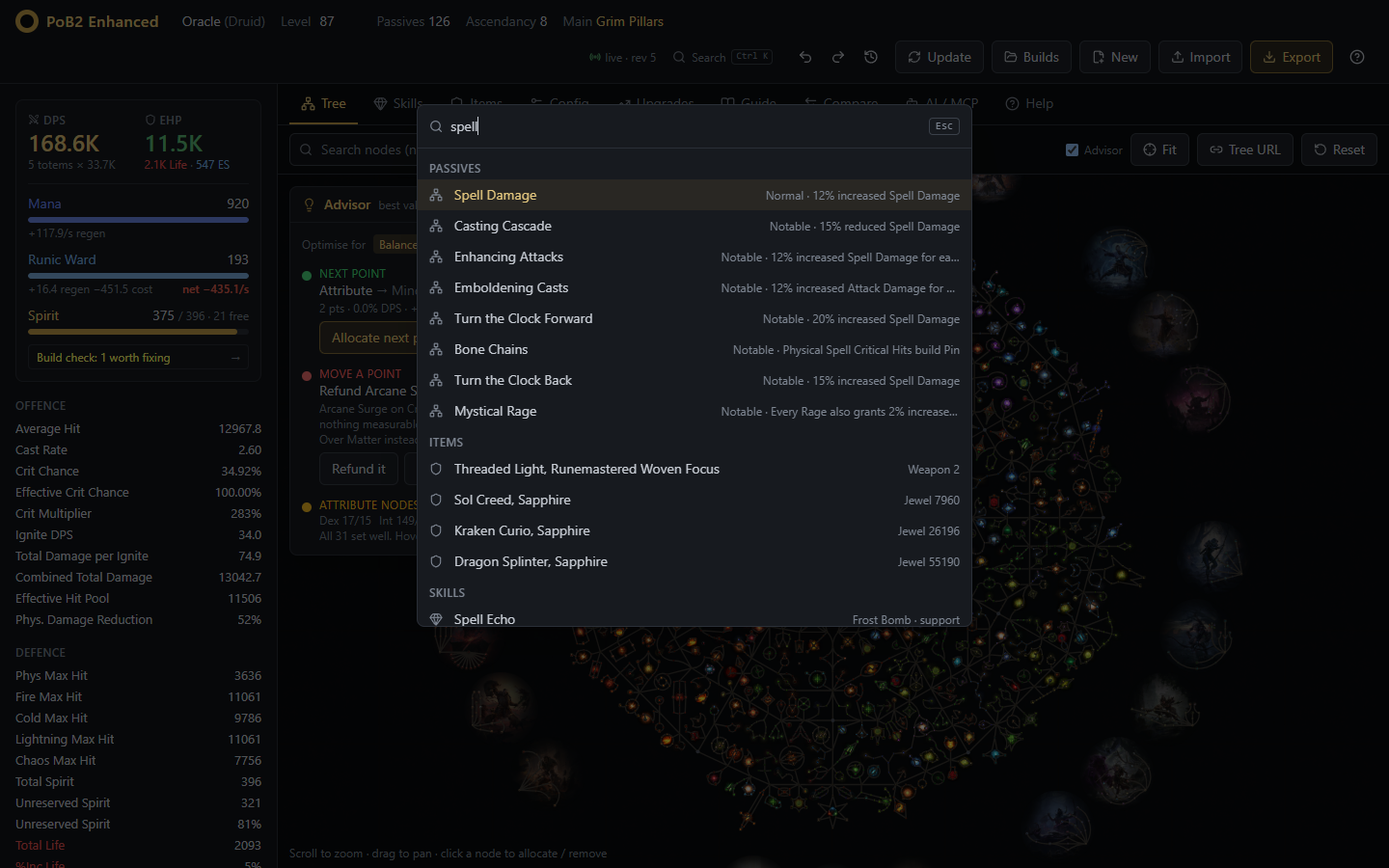
Search everything

  • Ctrl+K jumps to any tab or Upgrades section and runs commands.
  • Find a passive and the tree centres on it; look up items, gems, config options and stats.
  • Items show the game's own art, collected from poe.ninja.
Command palette

Undo anything, keep your builds

  • Undo and redo every change, including an AI agent's, with a history and named checkpoints.
  • Your build is saved after every change and comes back after a restart or update.
  • Named copies in Builds to switch between characters and experiments.
Saved builds

Help built in

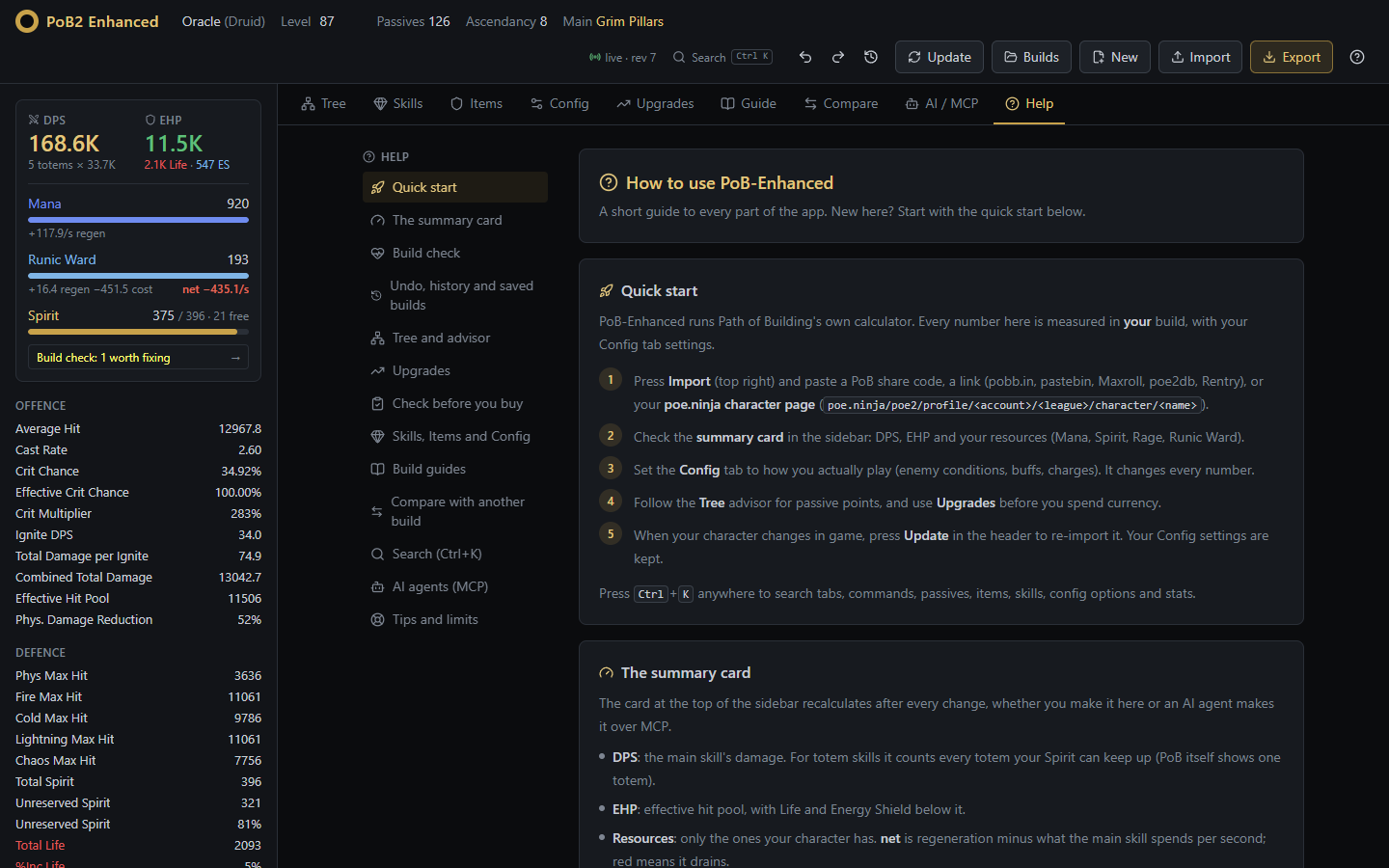
The Help tab walks through importing your character and every tool, so nobody needs this page to get started.

Set it up →
In-app help guide
Get started

One command with Docker

docker run -d --name pob-enhanced --restart unless-stopped -p 8080:8080 -v pob2-data:/data ghcr.io/skitty4fingers/pob-enhanced:latest

Then open http://localhost:8080 and import your character. NAS, Compose, Tailscale and no-Docker setups are in the deployment guide.